

property 데코레이터 완전 이해
@property로 getter/setter/deleter를 정의하는 방법, 디스크립터 프로토콜과의 관계, computed property와 캐싱 패턴을 설명합니다.
지난 글에서 타입 힌트와 데코레이터를 다뤘다. 이번 글에서는 Python 내장 데코레이터 중 가장 많이 사용되는 @property를 깊이 살펴본다. @property는 단순한 문법 설탕이 아니라 디스크립터 프로토콜의 구현체다. 이 원리를 이해하면 속성 접근 제어를 훨씬 유연하게 설계할 수 있다.
property가 필요한 이유
Python에서 속성을 공개로 선언하면 외부에서 제약 없이 값을 바꿀 수 있다.
class Circle:
    def __init__(self, radius):
        self.radius = radius   # 누구나 음수로 바꿀 수 있음

c = Circle(5)
c.radius = -10   # 논리적으로 불가능한 값
Java처럼 getter/setter를 별도 메서드로 만들면 인터페이스가 바뀐다(c.get_radius() vs c.radius). @property는 속성 접근 문법을 유지하면서 로직을 추가한다.
@property 기본 패턴
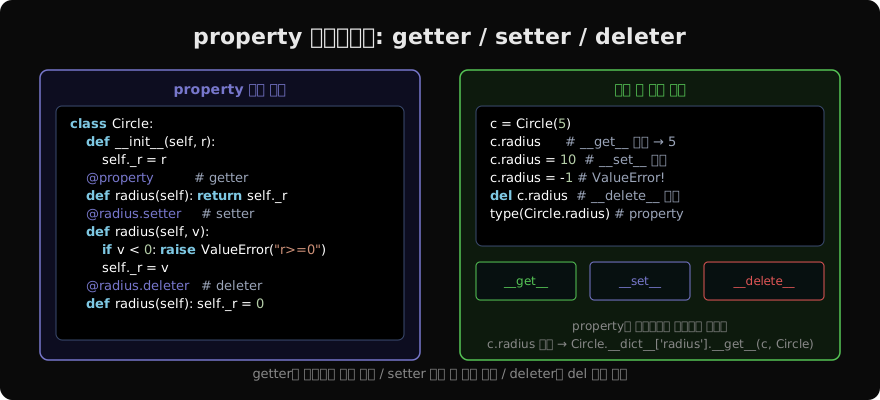
class Circle:
    def __init__(self, radius):
        self.radius = radius   # setter 통과

    @property
    def radius(self):
        return self._radius

    @radius.setter
    def radius(self, value):
        if value < 0:
            raise ValueError("반지름은 0 이상이어야 합니다")
        self._radius = value

c = Circle(5)
print(c.radius)   # 5
c.radius = 10     # OK
c.radius = -1 # ValueError!__init__에서 self.radius = radius는 setter를 거친다. self._radius에 직접 쓰지 않고 setter 유효성 검사를 통과시키기 때문이다.
getter만 있는 읽기 전용 속성
setter를 정의하지 않으면 자동으로 읽기 전용이 된다.
class Temperature:
    def __init__(self, celsius):
        self._celsius = celsius

    @property
    def fahrenheit(self):
        return self._celsius * 9/5 + 32
    # setter 없음 → 읽기 전용

t = Temperature(100)
print(t.fahrenheit)   # 212.0
t.fahrenheit = 100 # AttributeError: can't set attributefahrenheit는 celsius에서 계산되는 파생 속성이다. setter가 없으므로 대입하면 에러가 난다.
deleter
del 연산자를 지원하려면 deleter를 추가한다.
class Connection:
    def __init__(self, host):
        self._conn = create_connection(host)

    @property
    def connection(self):
        return self._conn

    @connection.deleter
    def connection(self):
        self._conn.close()
        self._conn = None
        print("연결 해제됨")

conn = Connection("localhost")
del conn.connection   # deleter 호출 → 연결 해제됨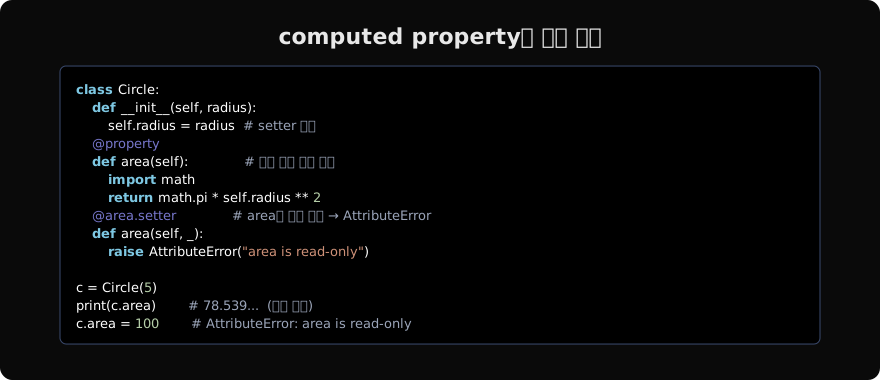
property는 디스크립터다
@property가 동작하는 원리는 디스크립터 프로토콜이다. c.radius에 접근하면 Python은 다음 과정을 거친다.
# c.radius 접근 시 내부 동작
type(c).__dict__['radius'].__get__(c, type(c))

# c.radius = 10 시 내부 동작
type(c).__dict__['radius'].__set__(c, 10)

# del c.radius 시 내부 동작
type(c).__dict__['radius'].__delete__(c)
property 클래스는 __get__, __set__, __delete__ 메서드를 구현한 디스크립터다. Circle.radius는 property 인스턴스이고, 이 인스턴스가 접근을 가로채서 등록된 getter/setter/deleter를 호출한다.
직접 property()를 호출하면 @property 문법과 동일하다.
class Circle:
    def __init__(self, r):
        self._r = r

    def _get_radius(self):
        return self._r

    def _set_radius(self, v):
        if v < 0: raise ValueError
        self._r = v

    radius = property(_get_radius, _set_radius)
cached_property: 한 번만 계산
Python 3.8+에는 functools.cached_property가 내장돼 있다. 처음 접근 시 계산하고 이후에는 캐시된 값을 반환한다.
from functools import cached_property
import statistics

class Dataset:
    def __init__(self, data):
        self._data = data

    @cached_property
    def mean(self):
        print("계산 중...")
        return statistics.mean(self._data)

ds = Dataset([1, 2, 3, 4, 5])
print(ds.mean)   # 계산 중... → 3
print(ds.mean) # (출력 없음) → 3 (캐시됨)cached_property는 첫 접근 시 instance.__dict__에 결과를 직접 쓴다. 이후 접근은 instance.__dict__에서 바로 읽으므로 property의 __get__조차 호출되지 않는다.
단, cached_property는 __set__ 없이 __get__만 가진 non-data descriptor라서 __slots__와 함께 쓰면 동작하지 않는다.
서브클래스에서 property 오버라이드
class Animal:
    @property
    def sound(self):
        return "..."

class Dog(Animal):
    @property
    def sound(self):            # 완전히 새 property
        return "Woof"

    @sound.setter
    def sound(self, value):     # setter 추가
        self._sound = value
서브클래스에서 property를 오버라이드하려면 @property를 다시 써야 한다. 부모의 sound.setter는 부모 sound property에 묶여 있으므로 자식에서 그대로 쓸 수 없다.
지난 글: 타입 힌트와 데코레이터
다음 글: 캐시 데코레이터: lru_cache와 cache
읽어주셔서 감사합니다. 😊
PALDYN / ARTICLE AI
글의 개념, 수식, 코드에 대해 물어보세요.
질문과 관련된 문단을 골라 답변의 문맥으로 사용합니다.생각 중 · 0초