

useFetch 커스텀 훅 — 데이터 페칭 완전 캡슐화
useReducer 기반 상태 머신, AbortController, 경쟁 조건 방지, 조건부 요청, 수동 재요청까지 갖춘 production-ready useFetch 훅을 단계별로 구현합니다.
지난 글에서 입력 최적화를 위한 useDebounce를 만들었다. 이번에는 여러 글에서 반복해 온 fetch 패턴을 하나의 훅으로 완전히 캡슐화한다. AbortController, 경쟁 조건 방지, 상태 머신을 모두 포함한 실무 수준의 useFetch를 만든다.
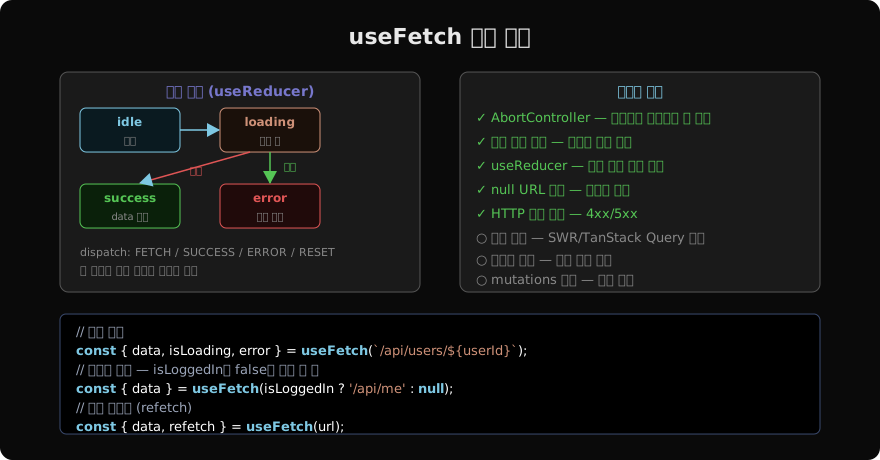
왜 useReducer를 쓰는가
useState 세 개(data, isLoading, error)로 관리하면 상태 전이가 불명확하다. isLoading: false인데 error도 없고 data도 없는 상태가 생길 수 있다. useReducer로 상태 머신을 만들면 불가능한 상태 조합이 없어진다.
const reducer = (state, action) => {
  switch (action.type) {
    case 'FETCH':
      return { ...state, isLoading: true, error: null };
    case 'SUCCESS':
      return { data: action.payload, isLoading: false, error: null };
    case 'ERROR':
      return { data: null, isLoading: false, error: action.payload };
    default:
      return state;
  }
};
전체 구현
function useFetch(url) {
  const [state, dispatch] = useReducer(reducer, {
    data: null,
    isLoading: !!url,
    error: null,
  });
  const [refreshIndex, setRefreshIndex] = useState(0);

  useEffect(() => {
    if (!url) return; // null URL은 요청하지 않음

    let active = true; // 경쟁 조건 방지 플래그
    const controller = new AbortController();
    dispatch({ type: 'FETCH' });

    fetch(url, { signal: controller.signal })
      .then(r => {
        if (!r.ok) throw new Error(`HTTP ${r.status}`);
        return r.json();
      })
      .then(data => {
        if (active) dispatch({ type: 'SUCCESS', payload: data });
      })
      .catch(err => {
        if (active && err.name !== 'AbortError') {
          dispatch({ type: 'ERROR', payload: err });
        }
      });

    return () => {
      active = false;
      controller.abort(); // 언마운트 또는 url 변경 시 요청 취소
    };
  }, [url, refreshIndex]);

  const refetch = useCallback(() => setRefreshIndex(i => i + 1), []);

  return { ...state, refetch };
}
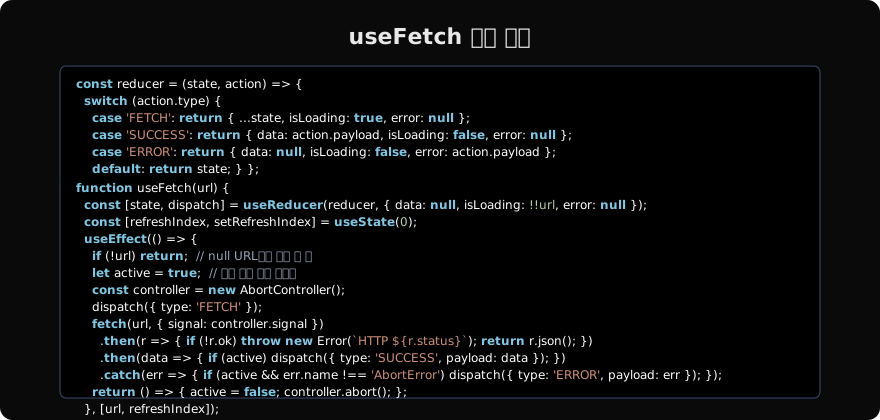
두 가지 안전 장치가 함께 쓰인다.
active플래그: cleanup에서active = false로 설정. 이후 도착하는 응답은 dispatch를 건너뛴다.AbortController: 이미 진행 중인 네트워크 요청 자체를 취소. 불필요한 대역폭 사용 방지.
수동 재요청 (refetch)
refreshIndex state를 deps에 포함시켜 같은 URL이라도 다시 요청할 수 있게 한다.
function UserCard({ userId }) {
  const { data: user, isLoading, error, refetch } = useFetch(
    `/api/users/${userId}`
  );

  if (isLoading) return <Spinner />;
  if (error) return (
    <div>
      <p>오류: {error.message}</p>
      <button onClick={refetch}>다시 시도</button>
    </div>
  );

  return (
    <div>
      <h2>{user.name}</h2>
      <button onClick={refetch}>새로고침</button>
    </div>
  );
}
조건부 요청
url이 null이면 요청하지 않는다. 조건에 따라 요청 여부를 제어할 수 있다.
function ProfilePage({ isLoggedIn, userId }) {
  // isLoggedIn이 false면 null을 전달 → 요청 안 함
  const { data: user } = useFetch(
    isLoggedIn ? `/api/users/${userId}` : null
  );

  if (!isLoggedIn) return <LoginPage />;
  return <Profile user={user} />;
}
제네릭 타입 지원 (TypeScript)
function useFetch<T>(url: string | null) {
  const [state, dispatch] = useReducer<
    Reducer<State<T>, Action<T>>
  >(reducer, {
    data: null,
    isLoading: !!url,
    error: null,
  });
  // ...
  return { ...state, refetch };
}

// 타입 자동 추론
const { data } = useFetch<User>(`/api/users/${id}`);
// data: User | null
이 훅의 한계
이 useFetch는 학습과 단순한 요청에 충분하다. 하지만 프로덕션에서는:
- 캐싱 없음: 같은 URL을 두 컴포넌트에서 쓰면 요청이 두 번 발생
- 재시도 없음: 네트워크 오류 시 자동 재시도가 없음
- 뮤테이션 없음: POST/PUT/DELETE는 별도로 구현
이런 기능이 필요하다면 SWR이나 TanStack Query를 사용하는 게 낫다. 이 훅은 외부 의존성 없이 fetch를 안전하게 래핑하는 패턴을 이해하는 데 의미가 있다.
지난 글: useDebounce 커스텀 훅 — 입력 최적화
다음 글: useId — 고유 ID 생성 훅
읽어주셔서 감사합니다. 😊
PALDYN / ARTICLE AI
글의 개념, 수식, 코드에 대해 물어보세요.
질문과 관련된 문단을 골라 답변의 문맥으로 사용합니다.생각 중 · 0초